Your footage.
Edited with AI.
Video editing, captions, and YouTube thumbnails and titles.
Import your clips or record in Cutaway.
Let AI do
the editing.
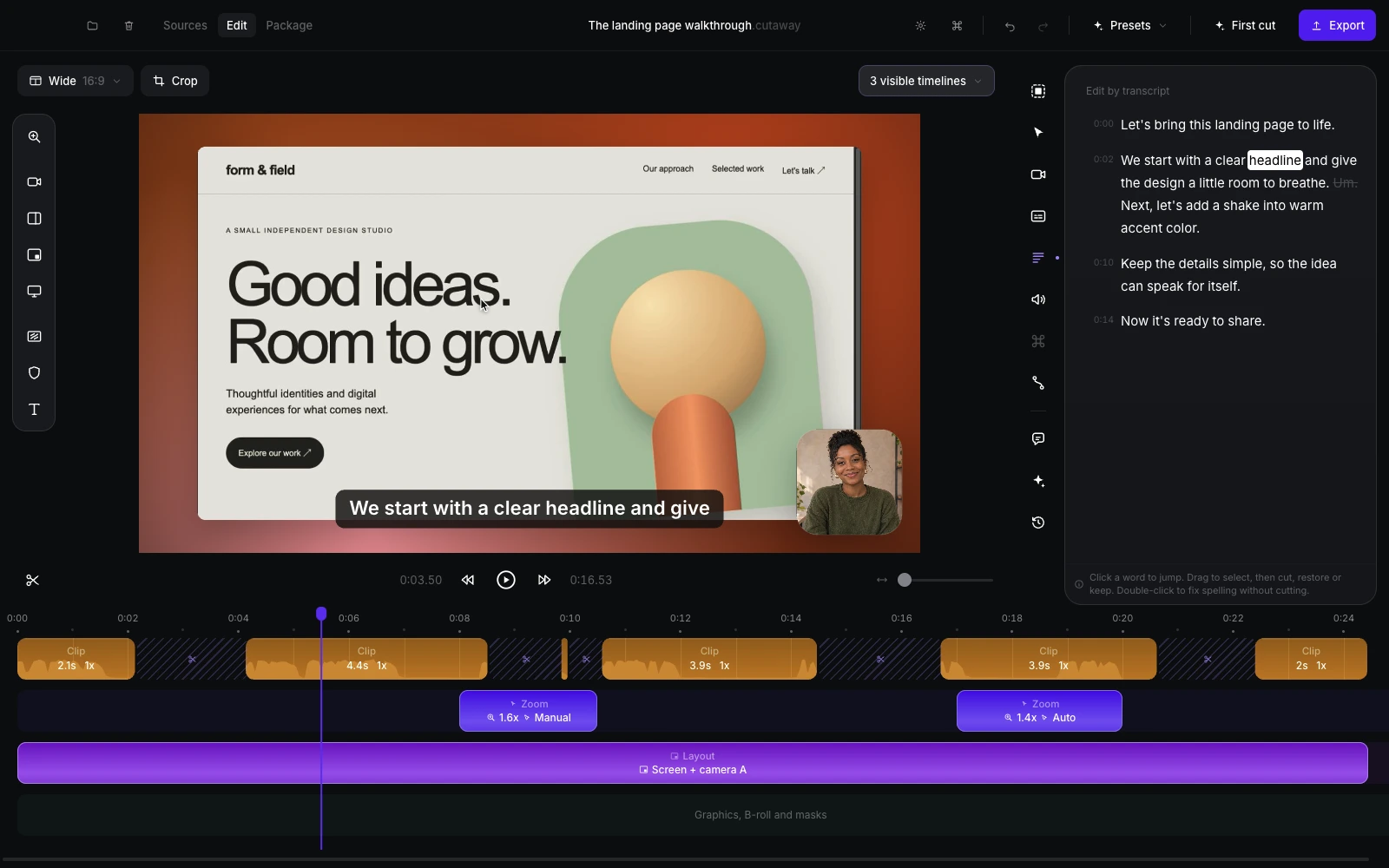
Set the pace and style. Cutaway assembles your clips with cuts, camera changes, zooms, and your B-roll. Review the result, or ask for a change.
Every edit stays editable.Cutaway assembles a continuous timeline into an edit with cuts and zooms. Silent demonstration recorded in Cutaway.
Automatic
captions.
Turn speech into captions on your Mac. Choose how they look, then include them in the video or export a separate caption file.
Captions appear on the footage, then change between pill and bold styles. Silent demonstration recorded in Cutaway.
Your thumbnail.
Your title.
Get three options based on your video. Pick a pair, change anything, and preview it at YouTube browsing size.
Cutaway creates three thumbnail concepts, then the thumbnail text and video title are edited and selected. Silent demonstration recorded in Cutaway.
More control.
When you need it.
A full set of tools for the finishing touches.
Video editing tools
Trim, cut, restore, and change clip speed. Edit the video through its transcript, add text graphics and your own B-roll, and return to earlier versions.
Balance audio, add music or a voiceover, adjust color and sharpness, and save your styling as a preset. Add blur masks to cover private details.
Screen and camera recording
Record your screen, a window, or a selected area, with up to two cameras, microphone, and system audio. Pause, resume, and mark moments as you go.
Switch camera layouts, add zooms, and style the background. Record in Cutaway to adjust cursor movement and click effects afterward.
Flexible export
Save MP4, GIF, or ProRes. Export an editable project ZIP, or keep your video and its YouTube upload files together in one folder.
Reframe a video for wide, square, or vertical output without rebuilding the edit.
A few useful answers.
Can I use footage I already have?
Yes. Import camera footage, screen recordings, images, and audio. You can make a camera-only video or record new footage in Cutaway.
What do I need for AI editing?
Install Claude Code or Codex and sign in on your Mac. Cutaway uses that account for AI editing and thumbnail/title concepts. Manual editing, local cleanup, captions, and export work without an AI account. Optional generated thumbnail artwork uses Codex.
What stays on my Mac?
Your video and audio files, transcription, manual edits, preview, and exports stay local. With your permission, AI editing sends transcript text, edit information, and selected still images to Anthropic or OpenAI. Generated thumbnail artwork asks for separate permission.
What do I get when I export?
A video file, or a YouTube folder with your video, thumbnail, title options, description, captions, and chapter information. Cutaway saves these to your Mac; you upload them to your chosen platform.